
Service conditions
What is Zapier — and when do Tasks become the story?
Zapier is designed to connect a very broad range of apps with relatively little setup. The practical decision is whether its Task model suits your volume and branching.
Count successful actions in the real process before admiring the app directory.
CostCan it be paid repeatedly?
LimitsDoes the work bend around them?
ExitKeep remains available
THE SHORT ANSWER
Zapier is a sensible first shortlist for straightforward cross-SaaS automation and wide connector coverage. It becomes less obvious when action volume or technical control dominates.
If Task volume is the uncertainty, check what Zapier counts as a Task against one real Zap before selecting a tier.
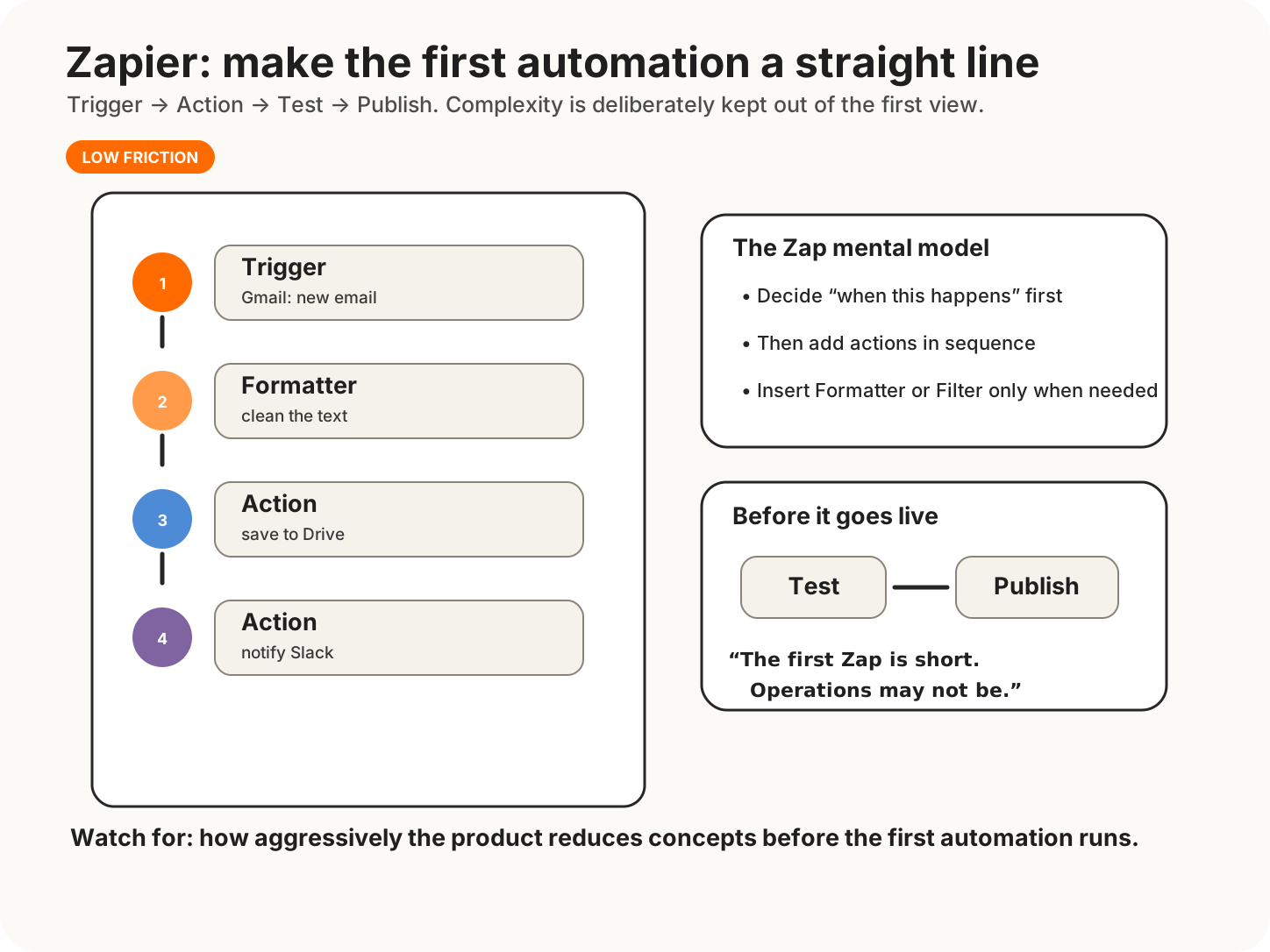
Start by defining what happens in the Trigger, then add Actions in sequence. Formatter or other steps can be inserted in the middle, but Zapier’s low-friction entry point comes from presenting the first automation as a clear, mostly linear path.
Operations and commercial teams that need common SaaS connections, quick setup and a managed service.
High-volume multi-action processes, self-host requirements or workflows where code and infrastructure control are central.
DECISION BOUNDARIES
What actually separates the options
Tasks
Estimate successful actions per run, including branches and repeat steps.
Plan limits
Check multi-step, premium app and team features on the plan you would actually buy.
Ownership
Decide who receives alerts and repairs broken authentication.
COST AND CONSTRAINTS
Price is one operating condition
Model the same workload at quiet, normal and peak volumes. A simple Zap can produce several billable actions; simplicity remains available in the editor, not necessarily on the invoice.
EVIDENCE
What to test before committing
Use Task history from a pilot rather than multiplying wishful averages in a spreadsheet.
SIMPLER ALTERNATIVE
Before adding another account
Manual handling or an existing app's native automation may be better for a small, stable process.
The best integration count is the number you use, plus zero.
Next Decision