
Service conditions
What is Make — and do you need it?
A decision guide to Make's credits, visual workflows and operating burden. The colourful canvas is the easy bit; owning what happens when it breaks is the purchase.
Start with the job, its volume and its exceptions. A new workflow is useful only when it removes more work than it creates for whoever inherits it.
CostCan it be paid repeatedly?
LimitsDoes the work bend around them?
ExitKeep remains available
THE SHORT ANSWER
Shortlist Make when a visual view of the whole workflow matters and the team can own multi-step logic. Keep the current method when the job is small, rare or mostly judgement.
Before choosing a plan, check what actually consumes Make Credits in a representative workflow rather than counting workflow names.
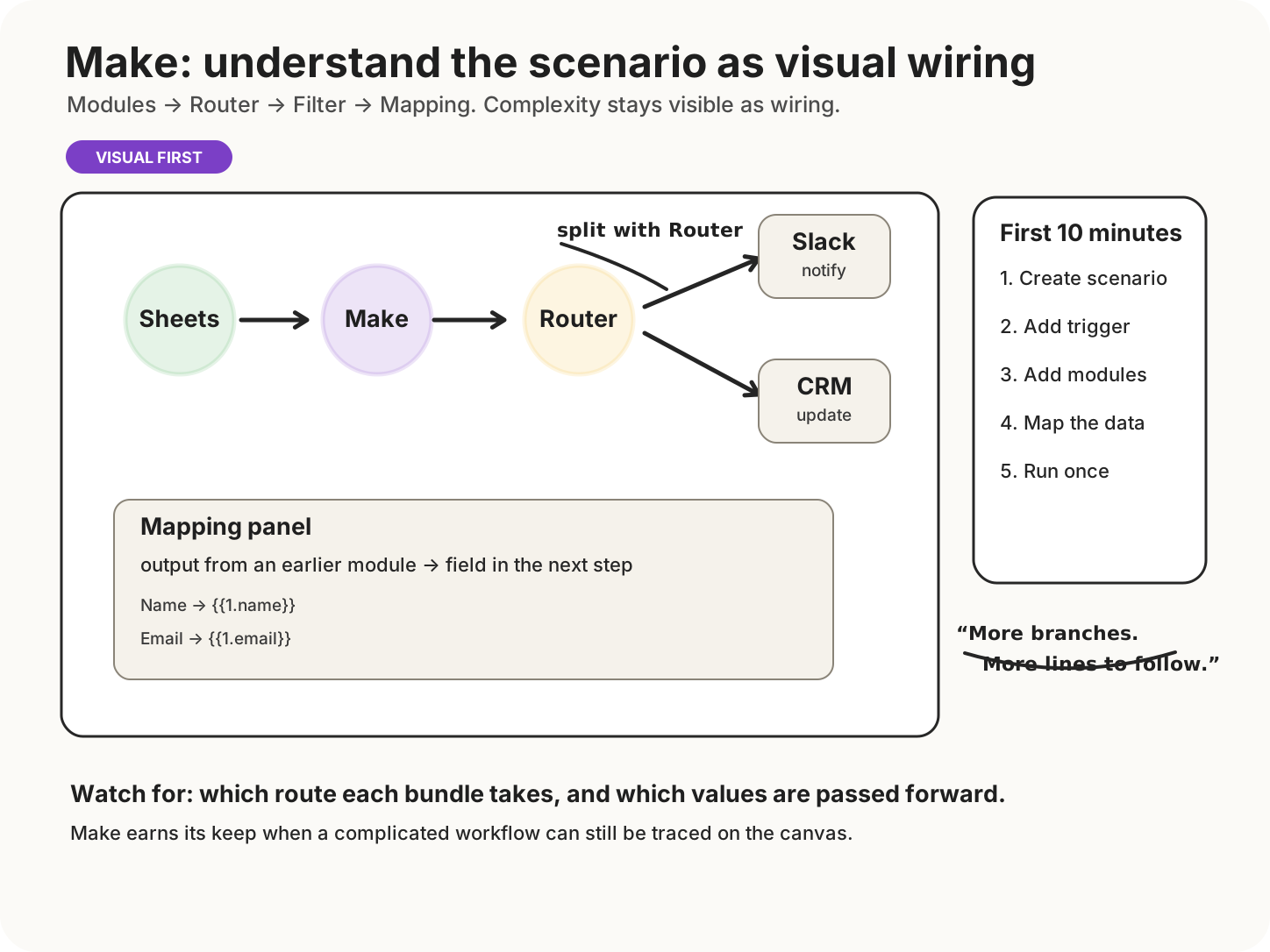
Read it left to right: modules are connected, a Router can split the path, and Filters can narrow each branch. Data from earlier modules is mapped into later fields, so as a Scenario grows the key question becomes which route a bundle follows and which values are passed on.
Teams automating cross-app work that benefits from seeing branches, transformations and data movement in one place.
A team with no named owner, unpredictable exception handling, or a process that changes every fortnight for reasons nobody writes down.
DECISION BOUNDARIES
What actually separates the options
Charging unit
Estimate credits from real modules, iterations and data operations — not from the number of workflows.
Maintenance
Name the person who will investigate failed runs and update connections.
Coverage
Check the exact trigger and action you need, including authentication and refresh behaviour.
COST AND CONSTRAINTS
Price is one operating condition
Use a low, expected and bad month. Add VAT where applicable and include the time spent investigating failures. A neat monthly subscription can still buy an untidy monthly duty rota.
EVIDENCE
What to test before committing
Run one representative workflow for a week. Record executions, credits, failure causes and manual interventions before selecting a plan.
SIMPLER ALTERNATIVE
Before adding another account
A spreadsheet, scheduled export or documented manual checklist may be enough when volume is low and human judgement dominates.
Buy the workflow you can maintain, not the diagram you enjoyed drawing.
Next Decision