
Service conditions
What is Power Automate — and which licence are you actually buying?
Power Automate spans cloud flows, desktop automation, connectors and process licensing. It fits Microsoft-heavy work well, provided the licence diagram does not become the project.
Separate cloud automation, attended desktop work and unattended processes before looking at UK pricing.
CostCan it be paid repeatedly?
LimitsDoes the work bend around them?
ExitKeep remains available
THE SHORT ANSWER
Shortlist it when Microsoft 365, Power Platform or desktop RPA is materially part of the job. For a handful of unrelated SaaS tools, compare a simpler managed connector product as well.
Before lining Microsoft licensing up beside ordinary SaaS prices, normalise Credits, Tasks, Executions and User/Process licensing against the same job.
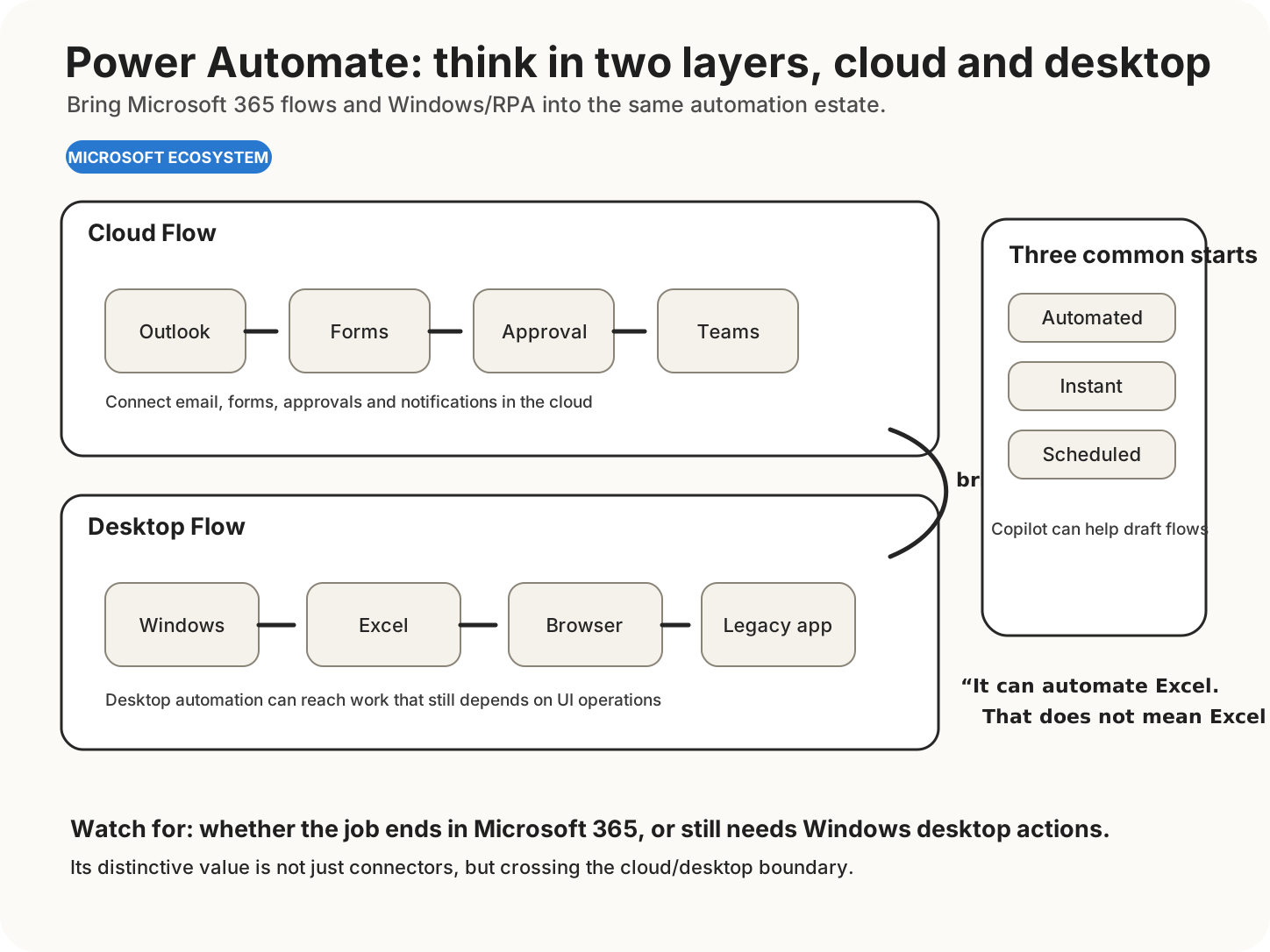
The upper lane represents Cloud Flows connecting services such as Outlook, Forms, SharePoint and Teams. The lower lane represents Desktop Flows operating Excel, browsers and legacy desktop apps; that ability to bring PC operations into the same automation estate is an important distinction.
Organisations already governed through Microsoft identities, data and administration, especially where desktop processes remain.
Small teams seeking a quick cross-SaaS workflow with no Microsoft-specific advantage.
DECISION BOUNDARIES
What actually separates the options
Flow type
Cloud, attended desktop, unattended process or hosted process have different operating and licensing implications.
Connectors
Check standard, premium and custom connector requirements.
Environment
Include DLP policies, gateways, service accounts and admin ownership.
COST AND CONSTRAINTS
Price is one operating condition
Use the current UK Microsoft quote, clarify whether VAT is included, and model per-user versus process capacity. Licence names are precise; understanding them is an optional extra supplied by the buyer.
EVIDENCE
What to test before committing
Pilot the production identity, connector and gateway path rather than a personal account demo.
SIMPLER ALTERNATIVE
Before adding another account
Use an existing Microsoft 365 feature, a native app rule or a manual control when automation would require more governance than the task merits.
Microsoft integration is valuable. So is knowing which Microsoft product paid for it.
Next Decision